Run Practice From Your Phone Without Being on Your Phone
Magic Lineup used to stop at the practice time and an attendance list. Now it runs the practice. A countdown for every drill, the clock on your lock screen, your assistants on the same clock, and notes you can say out loud. The phone stays in your pocket.
I coach youth soccer. For years my practice plan lived in the Notes app and my timer was the phone's stopwatch. That works until a drill runs long, two kids show up late, and you look down at a screen full of text while twelve kids wait for you to say something. The plan was fine. Running it was the problem.
So I built the thing I wanted on the field. Here's what a Tuesday looks like with it.
Sunday: pick the plan
When you create a practice, there's a Plan field. Pick a template for your sport and age band and the practice gets a real plan, sized to the length you typed. A 90-minute practice gets 90 minutes of blocks, water break included. Soccer and basketball have templates for U6-U8, U9-U10, U11-U12, and U13-U14. Set a default template in team settings and every new practice starts with it.
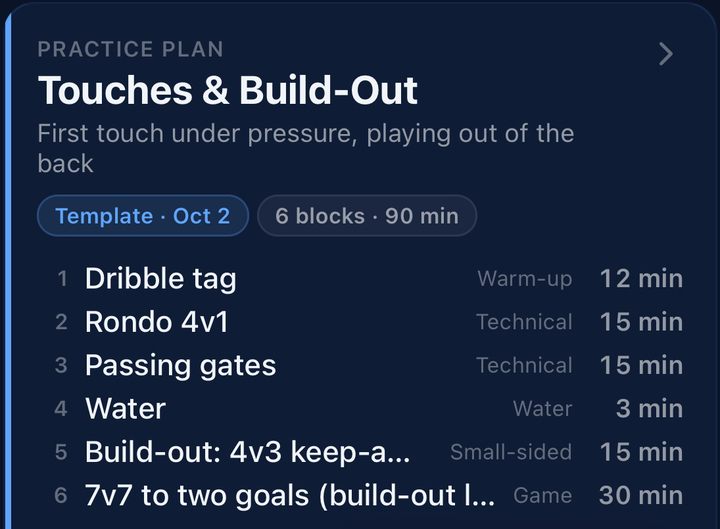
Don't like a drill? Open the plan, tap Edit, and swap it. The drill library is filtered to your age band and the kind of block you're replacing, and every drill shows its diagram before you pick it. Add a block, remove one, change the minutes. The app keeps the total honest. Save a drill you like and it's in your team's library for next time. Every coach on the team sees it.
Monday night: see it before you run it
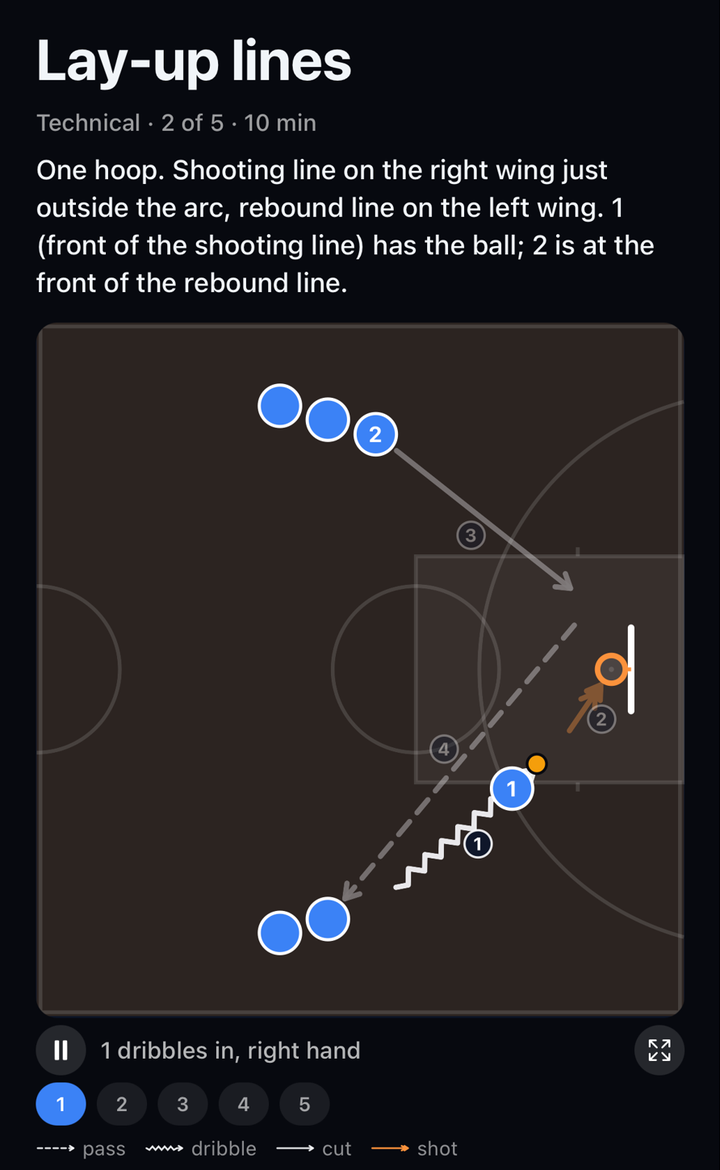
Tap Preview. One page per drill, with the setup in one sentence and a diagram that moves. Players dribble, pass, and cut on a loop, one step at a time, with a caption for each step. Pause it, tap a step, go full screen. Five minutes on the couch and you walk onto the field knowing what the cones look like.
Tuesday, 5:00 PM: run it
Tap Run practice, then Start. The screen stays awake while the app is open. Then put the phone in your pocket. That's the whole idea.
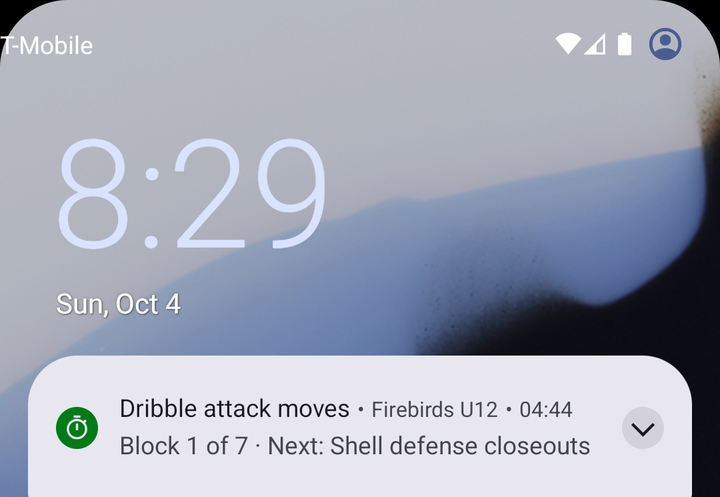
One buzz means one minute left. Two buzzes means time. The lock screen shows the drill, the countdown, and what's next, so a glance at your phone tells you everything without unlocking it. On iPhone that's a Live Activity. On Android it's a clock notification that ticks on its own.
The app never moves on by itself. When a drill hits zero the screen turns amber and waits for you. Kids are into it? Tap +2. Drill falling flat? Skip. If you let it run, the lock screen says "Over by 2:30" instead of sitting at zero, and the practice end time moves with it so you know when you'll actually finish. Rain delay or a crying kid, tap pause. Need ten minutes of free play? One tap, and the plan waits.
Propped on a bag? Turn the phone sideways and the countdown goes big, with the drill and what's next on the side. You can read it from a few steps away.
Your assistants are on the same clock
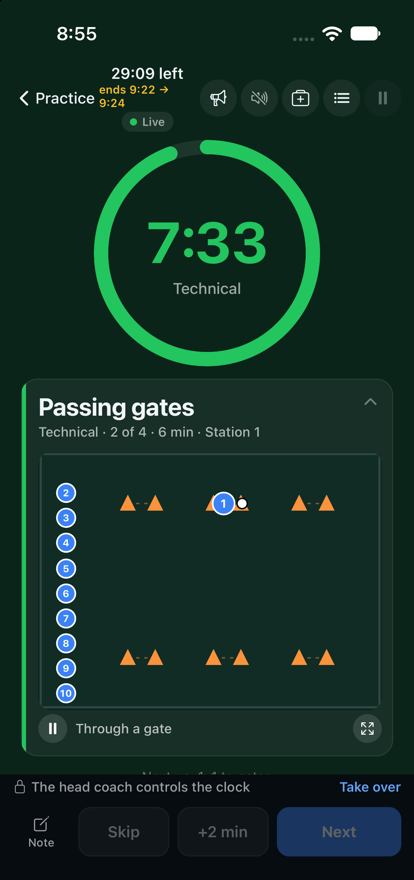
Your assistant opens the same practice on their phone and taps Follow. Same drill, same countdown, to the second. Running stations? They pick Station 2 and see only their drill, their group, and the round, on your clock. If you get pulled into a conversation with a parent, they tap Take over and the clock is theirs. Nobody has to shout across the field to ask what's next.
Notes without typing
You have a ball under one arm and a whistle in your mouth. Hold Note and talk: "Gates too wide for this group." Let go and it's saved on the drill that's running. The words are recognized on your phone. No audio is kept and your voice never leaves the phone. Only the words are saved, as a note on the drill, not on a kid.
One more thing on the run screen: a Safety button. It has three short cards. Concussion recognize-and-remove, lightning 30/30, and heat and water breaks. They don't pop up or nag. They're one tap away the day you need them.
After practice
End practice and you get a short debrief. Thumbs up or down on each drill that ran, one line for next time, and attendance already filled in. Then the practice shows what actually happened: planned 90, ran 94, 5 of 6 blocks, 1 skipped, two notes. Next Sunday you plan against that, not against what you hoped would happen.
The practice runner is live now. Open any practice, pick a plan, and tap Run practice. Free, no ads.
Get Magic LineupThe takeaway
A good practice plan is the easy part. Running it with kids in front of you is the hard part. Now the app does the clock and the bookkeeping, and you get to coach.